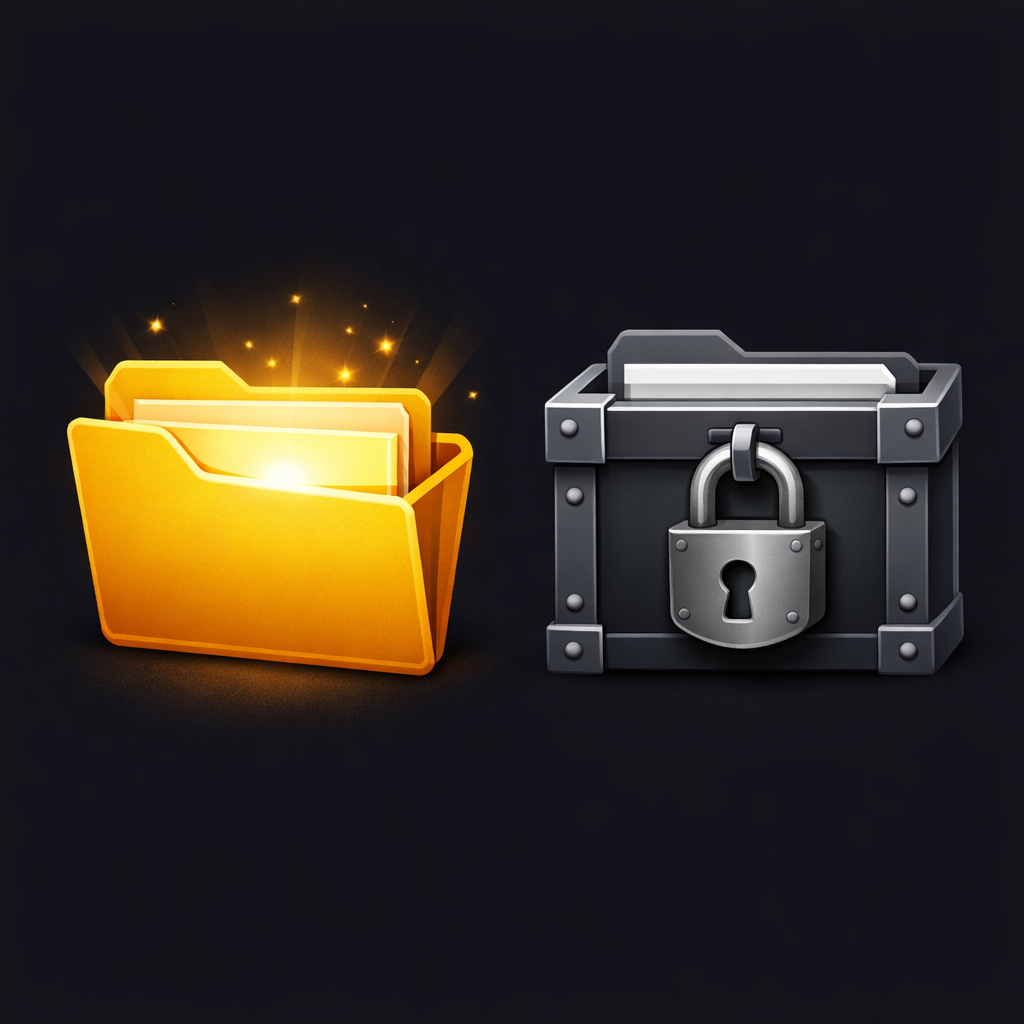
Open file formats decide what you can read, edit, and keep over time—even if you never think about them. This post walks through what file formats are, how “open” differs from “proprietary,” why that matters for digital freedom, and how you can make better choices in your own workflow.
Why file formats matter
Every time you can’t open a file from an old project, or a friend sends you a document your software can’t read, you are hitting a file format boundary. File formats quietly control interoperability (how well tools work together), long‑term access, and how easily you can leave one app or provider for another.
Governments and archives increasingly care about formats because they want public information to remain readable for decades, regardless of which vendor is in fashion. As a regular user, the same logic applies to your family photos, research notes, side projects, and creative work.
What is a file format?
A file format is a defined way to encode and store information so that software knows how to interpret the bits inside a file. A “.txt” text file, a “.png” image, and a “.flac” audio file are all different formats that describe how characters, pixels, or sound samples are arranged.
Applications speak one or more formats: a word processor understands document formats, a media player understands audio and video formats, and so on. When a program “doesn’t support” a file, it simply doesn’t speak that file’s format language.
Open vs proprietary: who controls the standard?
An open file format is one whose technical specification is publicly available and can be implemented by anyone, often under an open license, and sometimes governed by a standards body like ISO or OASIS. That means different developers can write compatible tools without asking permission or paying royalties.
A proprietary file format (often called a “closed” format) is controlled by a single company or rights holder, which may keep the specification secret, restrict usage, or change it unilaterally. Other tools might still reverse‑engineer support, but they are always chasing an opaque target.
Key differences that will matter later:
- Governance: open formats are defined by public standards; proprietary formats by vendors.
- Licensing: open formats are usually royalty‑free; proprietary may require licenses or be covered by patents.
- Transparency: open formats are documented openly; proprietary formats often are not.
Characteristics of open file formats
When people say a format is “open,” they usually mean some combination of:
- Published specification: The format is fully documented and freely accessible, often as a formal standard (for example, OpenDocument Format is standardized by OASIS and ISO).
- Royalty‑free implementation: Anyone can write software to read/write the format without paying fees or signing restrictive NDAs.
- Multiple independent implementations: More than one unrelated project or vendor supports it (think LibreOffice, Microsoft 365, and Google Workspace all handling ODF or CSV).
- Longevity and preservation: Libraries and archives often prefer open formats because they reduce the risk that files become unreadable when a vendor disappears.
These properties are tightly linked to interoperability (systems working together) and avoidance of vendor lock‑in (being stuck with one provider because your data cannot move easily).
Examples: common open formats by content type
Here are some well‑known open or openly standardized formats you probably use already.
Text and documents
- Plain text (TXT): simplest possible text encoding, readable almost everywhere.
- Markdown (MD) and HTML: text‑based markup languages for documents and web pages; human‑readable and widely supported.
- OpenDocument (ODT/ODS/ODP): an ISO standard for office documents (text, spreadsheets, presentations) used by LibreOffice and others.
- PDF: originally proprietary but now an ISO standard for fixed‑layout documents, widely used for publishing and archiving.
Governments in countries such as Finland, France, India, Uruguay, and the UK have formally recommended or mandated ODF and other open formats for editable documents.
Images
- JPEG (JPG): extremely common compressed image format; widely supported and documented, though historically covered by patents.
- PNG: lossless compressed images with transparency, designed as a patent‑free replacement for older formats like GIF.
- SVG: XML‑based vector graphics, ideal for logos and diagrams that need to scale cleanly.
Libraries and digital preservation programs often list PNG, JPEG, and TIFF as preferred image formats for long‑term access.
Audio
- FLAC: lossless audio compression; popular for archiving and high‑quality music collections.
- Ogg Vorbis / Opus: open, royalty‑free lossy formats; Vorbis is used in some streaming services and Opus is widely used in real‑time communication and modern players.
- WAV: uncompressed audio container based on an open specification; huge files but simple and widely supported.
While MP3 dominated for years despite being covered by patents, Ogg Vorbis and Opus emerged specifically as open alternatives to proprietary codecs.
Video
- WebM (using VP9/AV1): a container and codec family designed for the open web; supported by modern browsers and many platforms.
- Matroska (MKV): open container format that can hold many different audio and video codecs, subtitles, and metadata.
The web ecosystem has gradually shifted toward open video technologies such as WebM and AV1, especially for browser‑based streaming.
Tabular data and structured data
- CSV (Comma‑Separated Values): plain‑text tables; easy to read, parse, and process in any language.
- JSON and XML: text‑based structured formats used heavily in APIs and configuration files.
- ODS (OpenDocument Spreadsheet): spreadsheet format in the ODF family, used by LibreOffice and recommended by some governments.
On GOV.UK, CSV is reported as the most downloaded open data format, and ODS has slightly more downloads than legacy Excel formats in some periods. Open data initiatives and statistical offices often list CSV and open spreadsheet formats as defaults for published datasets.
Proprietary file formats in practice
Proprietary formats are everywhere too:
- Office: Microsoft’s DOCX/XLSX/PPTX evolved from older binary formats (DOC/XLS/PPT) that were tightly controlled and difficult to implement fully outside Microsoft’s ecosystem.
- Design: Adobe’s PSD (Photoshop) and AI (Illustrator) formats encode rich layer and vector information, and are central to Adobe’s creative tools.
- Media: some camera RAW formats, certain commercial video codecs, and DRMed container formats are proprietary and may require licensed decoders.
Vendors create proprietary formats to differentiate features, keep users inside their ecosystem, and sometimes to monetize through licensing. Over time, some of these formats become partially documented or standardized (for example, Office Open XML for DOCX/XLSX, PDF as an ISO standard), but the original control structure often shapes how they evolve
Comparison: open vs proprietary (with adoption notes)
Here is a high‑level comparison, including usage and adoption where good data exists:
| Aspect | Open formats | Proprietary formats |
|---|---|---|
| Specification | Public, documented specs; often ISO/OASIS standards (e.g., ODF, PDF, WebM, CSV). | Controlled by a vendor; details may be secret or change without public input. |
| Licensing & patents | Usually royalty‑free to implement; designed to avoid patent traps (e.g., Ogg Vorbis, Opus). | May require licenses or use patented technology (e.g., some codecs, historical MP3). |
| Interoperability | Many independent tools implement them (e.g., multiple suites handle ODF/CSV). | Best supported in the vendor’s own products; third‑party support is often partial. |
| Vendor lock‑in | Lower risk; you can switch tools while keeping your files. | Higher risk; leaving the vendor may mean converting or losing features. |
| Long‑term preservation | Preferred by archives and governments (ODF, CSV, PDF/A). | Risk of obsolescence if the vendor changes strategy or disappears. |
| Features / specialization | Sometimes slower to adopt very niche features; focus on broad compatibility. | Often tuned for specific workflows (e.g., pro graphics, proprietary RAW). |
| Usage & adoption highlights | ODF recommended or mandated by multiple governments; CSV is the most popular data format on GOV.UK; WebM/AV1 growing for web video; Ogg/Opus widely used in open platforms. | DOCX/XLSX still dominant in many workplaces; PSD/AI central in design; some statistical offices still publish data in XLS formats despite open alternatives. |
These are not “good vs evil” categories, but trade‑offs between openness, control, and ecosystem effects.
Open file formats on paper vs open in practice
When people talk about “open file formats,” they usually mean formats that are open by design: their specs are public, implementation is royalty‑free, and a neutral standards body or community steers their evolution (think ODF, CSV, Ogg Vorbis, Opus, WebM). These formats maximize user control and interoperability, but they often start life with smaller user bases and weaker support on legacy or niche devices.
Alongside them sit formats that are “open” in practice but not in origin: MP3, MP4/H.264, DOCX, and similar technologies that became global de facto standards through market dominance, even though they were originally proprietary or patent‑encumbered. Because almost every device and app understands them, they feel open to most users day‑to‑day, even if their governance and licensing histories are much less user‑friendly than the “open by design” formats.
This creates a tension people live inside without noticing: choosing a purely open standard can be better for long‑term freedom but worse for short‑term compatibility, while choosing a de facto standard like MP3 or DOCX is great for compatibility today but ties you to decisions made by a handful of companies years ago. A pragmatic approach is to treat “open by design” as the default for what you want to keep and reuse, and “open by ubiquity” as the compromise you make when you need to meet people where they already are.
MP3 and MP4 are great examples of this tension. MP3 (for audio) and MP4/H.264 (for video) started as heavily patented, industry‑controlled technologies that became de facto standards simply because every device, car stereo, phone, and platform agreed to support them. In contrast, formats like Ogg Vorbis and Opus for audio, or WebM/AV1 for video, were designed from the start to be royalty‑free, openly specified, and implementable by anyone without signing licensing deals—making them “real” open formats in the governance and freedom sense, even if they still cannot match MP3/MP4’s universal compatibility on older or locked‑down hardware.
Advantages and disadvantages of each
Open file formats
Advantages
- User control and portability: Easier to change apps or operating systems without losing access to your data.
- Collaboration and inclusivity: Others can choose whichever tool they prefer, including open‑source options.
- Future‑proofing: Better fit for archives, public institutions, and anyone who cares about reading files decades from now.
Disadvantages
- Feature lag in some niches: In areas like high‑end print layout or specialized video workflows, open formats may trail proprietary ones in advanced features.
- Fragmentation risk: If multiple “open” options exist with slightly different conventions, it can confuse non‑technical users.
Proprietary formats
Advantages
- Rich, integrated features: Vendors can innovate quickly without coordinating across many stakeholders, leading to powerful domain‑specific tools.
- Ecosystem cohesion: A single vendor can align features across apps, cloud services, and devices.
Disadvantages
- Vendor lock‑in: Migrating away can be painful or lossy, especially for complex documents or media.
- Access risk over time: If licensing terms, prices, or platform support change, your old files may become hard or impossible to open.
How to choose formats in your own workflow
Here are some general guidelines:
- For anything you care about long term, prefer an open or standardized format:
- Notes and drafts: plain text, Markdown, HTML, or ODT.
- Published documents: PDF (ideally archival‑friendly profiles like PDF/A).
- Spreadsheets and data: CSV for simple tables; ODS or open data formats for richer structure.
- Photos and audio archives: open or widely documented formats (e.g., JPEG/PNG + sidecar metadata, FLAC for lossless audio).
- When you must use proprietary formats, keep an exit strategy:
- Regularly export copies to open formats (for example, DOCX → ODT/HTML/PDF, XLSX → CSV/ODS).
- Keep original project files plus exported “reference” versions in open formats so future you can at least read the content.
- Consider your audience:
- If collaborators are non‑technical, choosing formats they can open without extra software is more important than theoretical purity.
- For public or civic data, open and machine‑readable formats (like CSV and JSON) are now expected best practice.
Conclusion: file formats as a freedom layer
File formats might look like a boring technical detail, but they encode a lot of power: who gets to open your work, what tools you can use, and whether your digital life survives platform changes. Open file formats shift that power toward users, communities, and institutions that need stability and interoperability, while proprietary formats concentrate it in vendor ecosystems.
You don’t have to be absolutist to benefit: simply preferring open or standardized formats where you can, and exporting your important work out of proprietary silos, already gives you more control over your data.